Automate | Connect

Bulk WhatsApp campaigns with control, delays, and automation

Send single or bulk messages, schedule campaigns, manage contacts, and reuse templates — all from one dashboard. WhatsAppScan adds a 20–30 second delay between bulk messages to help protect your number.

  • No coding required
  • Works with your existing WhatsApp device

Everything you need to run WhatsApp campaigns

From single or multiple device connection to scheduled bulk sends — WhatsAppScan covers the full workflow without extra tools.

Device connect & WhatsApp integration

Link your existing WhatsApp device to WhatsAppScan in minutes. Once connected, you can send messages directly from the dashboard.

Multiple device connection

Connect more than one WhatsApp device to a single WhatsAppScan account. Switch between numbers or run campaigns across devices from one dashboard.

Single & bulk sending with safe delays

Send one-off messages or launch bulk campaigns. WhatsAppScan automatically waits 20–30 seconds between each bulk message to reduce spam risk.

Chatbot auto-reply

Set up automated WhatsApp replies for common questions. Respond to customers instantly, even outside business hours.

Contact Book

Upload contacts via CSV and manage your full list in one place. Segment and select recipients for every bulk campaign.

My Templates

Create, save, and reuse message templates with text or images. Pull a template into any single or bulk send in seconds.

Scheduled Messages

Schedule single messages or full bulk campaigns for a specific date and time. Set it up once and let WhatsAppScan handle delivery.

How WhatsAppScan works

Three steps from setup to your first campaign.

  1. 01

    Connect your WhatsApp device

    Pair your phone or WhatsApp-linked device with WhatsAppScan. Your number stays the same — no new account needed.

  2. 02

    Upload contacts and create templates

    Import your contact list into Contact Book and build reusable text or image templates for your campaigns.

  3. 03

    Send or schedule with controlled delays

    Launch a single message or bulk campaign now, or schedule it for later. Bulk sends include an automatic 20–30 second gap between messages.

Built for the campaigns you run every week

Whether you are a marketing agency, e-commerce brand, or local service business, WhatsAppScan helps you reach customers on WhatsApp with reliability and control.

  • Safe bulk sending with automatic 20–30 second delays
  • Time-saving automation via templates and scheduling
  • Faster customer response with chatbot auto-reply
  • Full contact management in one Contact Book

Marketing campaigns

Promote offers, product launches, and seasonal sales to segmented contact lists — with delays that keep your number in good standing.

Reach hundreds of customers without manual copy-paste.

Customer updates

Send order confirmations, shipping alerts, and account notifications to individual contacts or entire groups at once.

Keep customers informed without tying up your team.

Reminders & follow-ups

Schedule payment reminders, appointment confirmations, and post-purchase follow-ups days or weeks in advance.

Reduce no-shows and missed payments with timely nudges.

Instant support with auto-reply

Use the chatbot to answer FAQs, capture leads, and route complex queries to your team — around the clock.

Faster responses without hiring more support staff.

Built for day-to-day campaign work

Manage contacts, templates, schedules, chatbot auto-reply, and send status from a single dashboard — no switching between tools.

Dashboard

See campaign health at a glance — devices, messages sent, queue depth, contacts, templates, and support tickets — then jump straight into the work that needs attention.
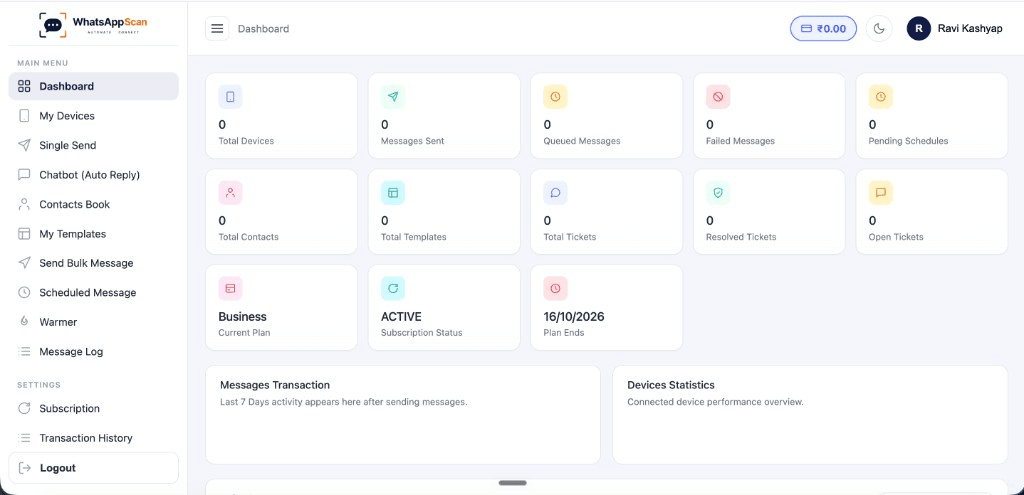
  • Track devices, sent messages, queued sends, and failures in one view
  • Monitor contacts, templates, and ticket status without leaving the dashboard
  • Check subscription plan and renewal date alongside live activity
  • Spot trends with message and device statistics as campaigns run
WhatsAppScan Dashboard showing campaign metrics and subscription details

My Devices

Connect WhatsApp numbers in minutes. Create a device, optionally attach a proxy, then scan a QR code — your existing number stays the same.
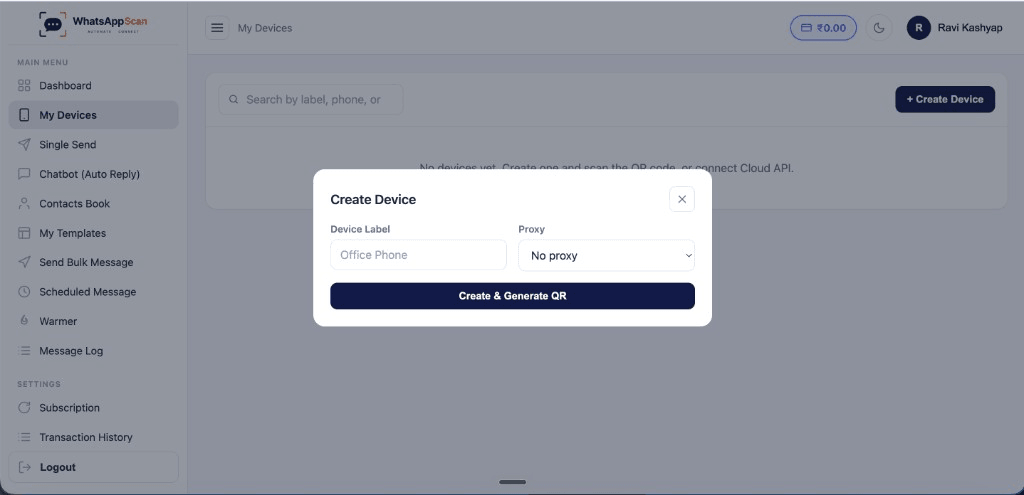
  • Create labeled devices for office, sales, or support numbers
  • Optional proxy support when connecting from different networks
  • Generate a QR code and pair in a few taps on your phone
  • Search and manage every connected number from one screen
WhatsAppScan My Devices screen with Create Device modal for QR pairing

Chatbot Auto-Reply

Never leave a customer waiting on WhatsApp again. Set keyword-based auto-replies that fire the moment someone messages you — even when your team is busy running campaigns.
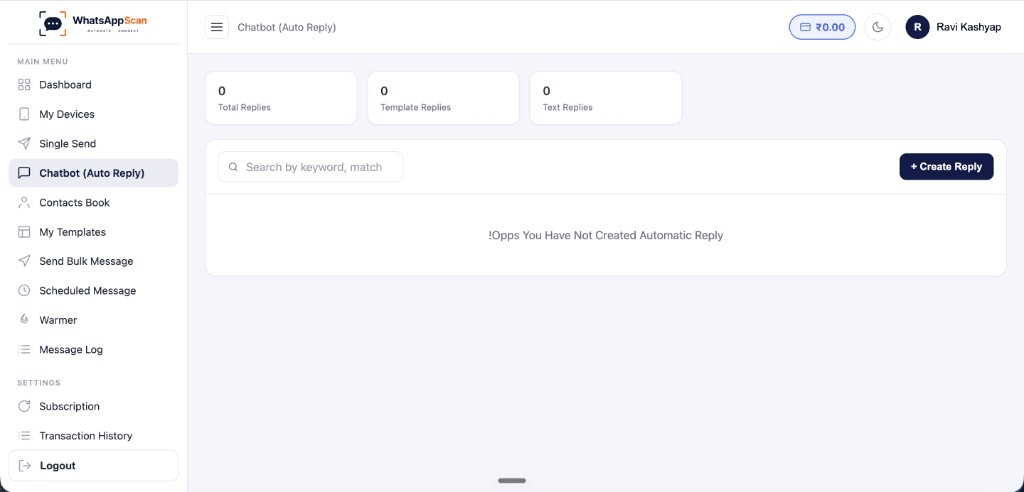
  • Trigger replies instantly using contains-match keyword rules
  • Assign different auto-reply flows to each connected device
  • Send plain text or pre-built template responses automatically
  • Handle common queries 24/7 without manual follow-up
WhatsAppScan Chatbot Auto Reply screen showing reply stats and create flow

Contact Book

Keep every customer number organized and campaign-ready inside WhatsAppScan. Upload contacts in bulk, sort them into groups, and pick exactly who receives your next WhatsApp blast.
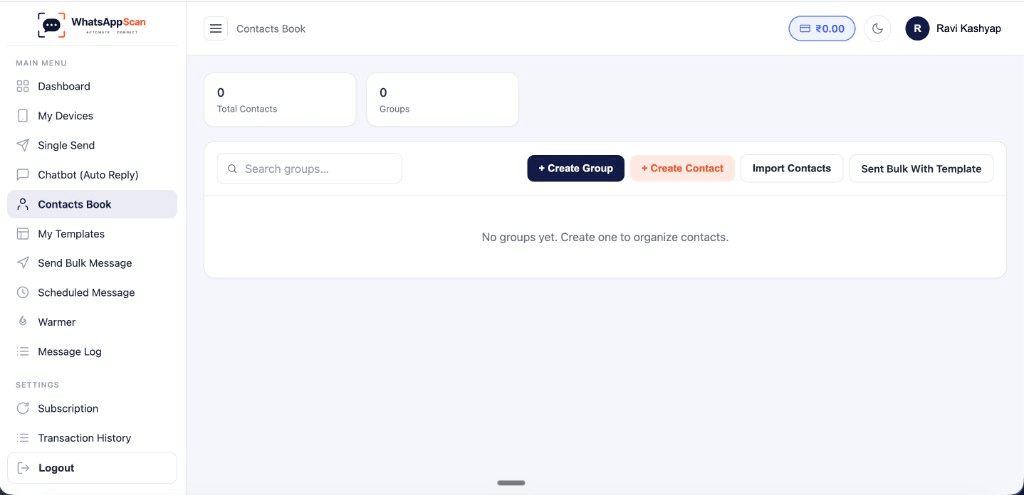
  • Import thousands of contacts at once with a simple CSV upload
  • Create unlimited groups for offers, leads, VIPs, or repeat buyers
  • Search, filter, and select recipients before every bulk send
  • Keep contact data synced and ready across all your connected devices
WhatsAppScan Contact Book screen showing contact groups and bulk import options

My Templates

Stop rewriting the same WhatsApp message every day. Build text, media, button, and location templates with placeholders — then drop them into any single or bulk send.
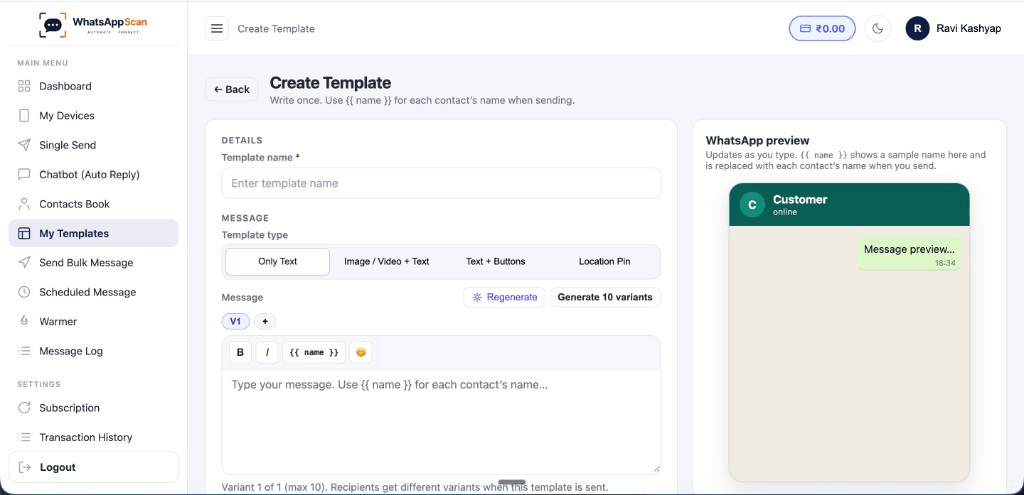
  • Save text and image templates for offers, reminders, and follow-ups
  • Use {{ name }} placeholders to personalize each message at scale
  • Generate variants so recipients see different message wording
  • Preview how the message looks in WhatsApp before you send
WhatsAppScan Create Template screen with message editor and WhatsApp preview

Straightforward pricing

Pick a plan based on your message volume and team size. Upgrade anytime as your campaigns grow.

Starter

₹1,499/month

Best for solo users / small businesses.

  • 3 WhatsApp devices
  • 10,000 messages/month
  • Up to 3 team users
  • Chatbot (Auto Reply)
  • Contacts Book
  • My Templates
  • Send Bulk Message
  • Scheduled Message
  • Message Log
  • Help & Support
  • Profile Settings
  • Team & Permissions
Choose plan
Most popular

Business

₹2,999/month

Best for growing teams / SMBs.

  • 10 WhatsApp devices
  • 50,000 messages/month
  • Up to 15 team users
  • Official Meta Cloud API (Facebook login)
  • Chatbot (Auto Reply)
  • Contacts Book
  • My Templates
  • Send Bulk Message
  • Scheduled Message
  • Message Log
  • Help & Support
  • Profile Settings
  • Team & Permissions
Choose plan

Enterprise

Custom

Custom devices & SMS

  • 50 WhatsApp devices
  • 5,00,000 messages/month
  • Up to 100 team users
  • Device proxies
  • Virtual SIM numbers
  • Official Meta Cloud API (Facebook login)
  • Chatbot (Auto Reply)
  • Contacts Book
  • My Templates
  • Send Bulk Message
  • Scheduled Message
  • Message Log
  • Help & Support
  • Profile Settings
  • Team & Permissions
Talk to sales

Frequently asked questions

Quick answers about how WhatsAppScan handles messaging, delays, and scheduling.

Is WhatsAppScan an official WhatsApp partner?
WhatsAppScan connects to your existing WhatsApp device and is not affiliated with or endorsed by WhatsApp or Meta. We recommend following WhatsApp's terms of service and applicable messaging regulations in your region.
How does the 20–30 second delay between bulk messages work?
When you start a bulk campaign, WhatsAppScan sends each message one at a time and automatically waits a random interval between 20 and 30 seconds before sending the next. This spacing helps reduce the chance of your number being flagged for spam.
Can I send both text and image messages?
Yes. You can send text-only messages, image messages, or combine both. The same options are available when creating templates in My Templates.
How does the chatbot auto-reply work?
You define trigger keywords and preset replies in the chatbot settings. When an incoming WhatsApp message matches a trigger, WhatsAppScan sends your configured response automatically — no manual action needed.
How many contacts can I upload in Contact Book?
Contact limits depend on your plan: Starter supports up to 1,000 contacts, Growth supports up to 10,000, and Enterprise offers unlimited contacts. You can upload contacts via CSV at any time.
Can I schedule messages for later?
Yes. Both single messages and bulk campaigns can be scheduled for a specific date and time. WhatsAppScan queues them and sends automatically when the scheduled time arrives.
Do I need a new WhatsApp number?
No. WhatsAppScan works with your existing WhatsApp device and phone number. Connect once and start sending from the same number your customers already know.

Start sending WhatsApp campaigns with WhatsAppScan

Connect your device, upload your contacts, and launch your first bulk campaign today — with built-in delays that keep your sending responsible.